vmsan
Firecracker made simple. Spin up secure microVMs in milliseconds, from install to interactive shell in one command
vmsan create --connectTerminal
curl -fsSL https://vmsan.dev/install | bash
Watch it in action
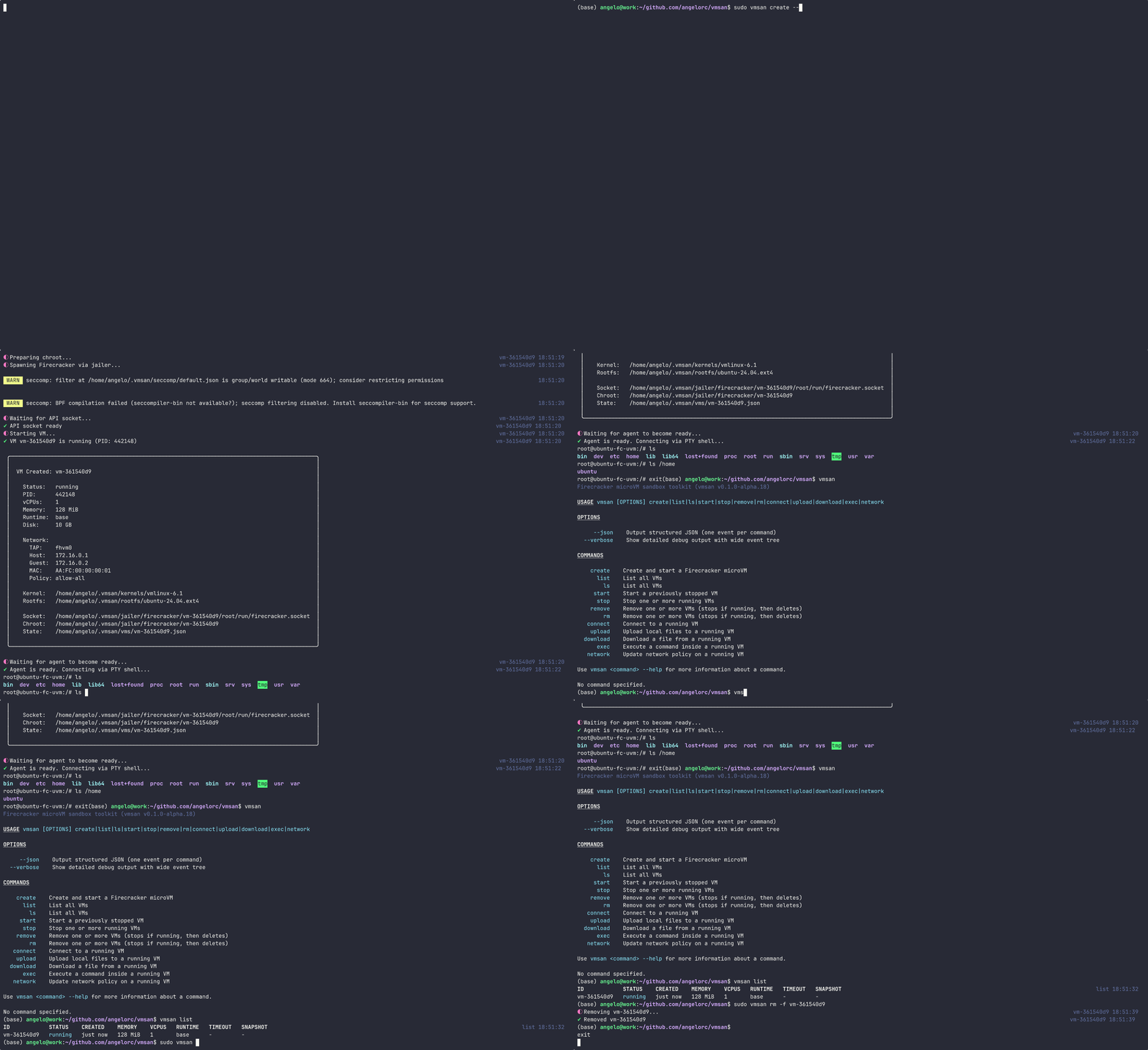
One command is all it takes
Install vmsan
Install the CLI in seconds with a single command.
Terminal
curl -fsSL https://vmsan.dev/install | bash
✔ vmsan installed successfully
vmsan --version
vmsan 0.1.0
Or jump straight in
Add --connect to land in a shell instantly.
Terminal
vmsan create --connect
✔ VM created: vm-f91c4e0
✔ Connected to vm-f91c4e0
root@vm-f91c4e0:~#
Everything you need for secure workloads.
vmsan wraps Firecracker with a batteries-included CLI. No boilerplate. No complex infrastructure. Just fast, secure VMs.
See it in action
Powerful isolation primitives wrapped in an intuitive developer experience.
Granular network control
Enforce strict allow-all or deny-all rules. Route traffic via custom domain and CIDR policies. Throttle bandwidth instantly.
Network Isolation
vmsan create \
    --network-policy custom \
    --allowed-domain "*.github.com" \
    --denied-cidr "10.0.0.0/8" \
    --bandwidth 50mbit
Any container as a VM
Run any Docker or OCI image natively. Boot it as a secure Firecracker microVM. Cached locally for instant reuse.
Docker Support
vmsan create --from-image python:3.13-slim
vmsan create --from-image node:22-alpine
vmsan create --from-image myorg/app:latest
Ready to build secure workloads?
Download vmsan today. Spin up your first Firecracker microVM in under a second.